Gaming Chair Wheels: Hardwood Floor Caster Solutions
By Linh Vo • 18th Nov
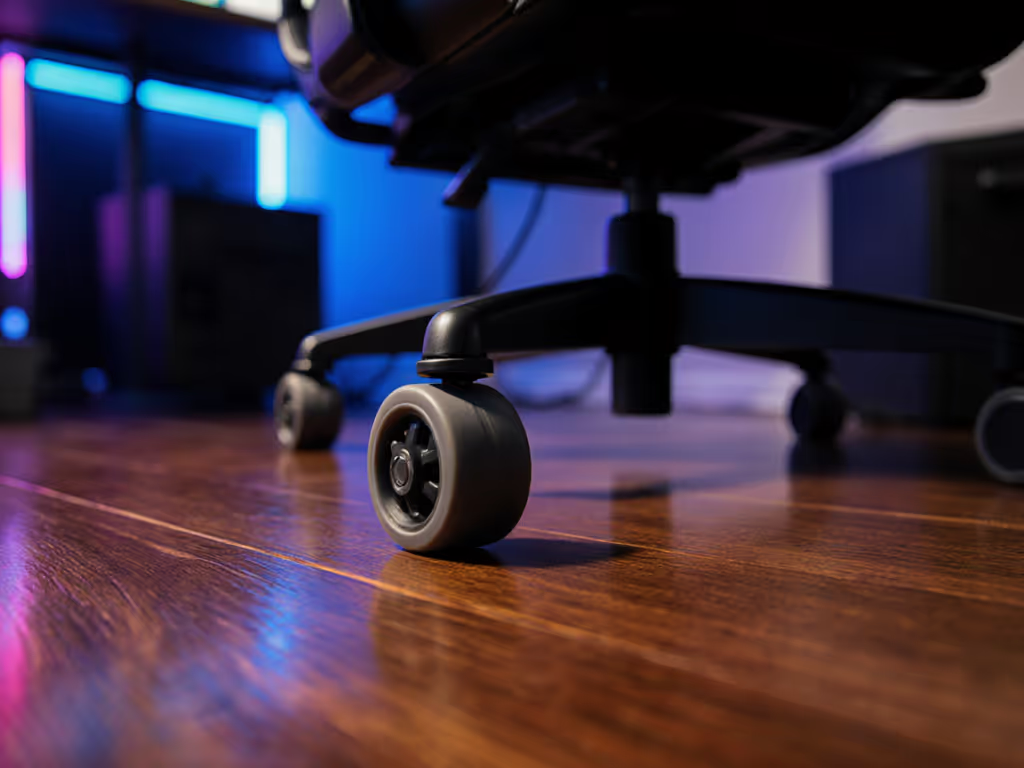
For gamers and hybrid workers, your gaming chair isn't just furniture, it's mission control. But those standard office chair wheels can turn your hardwood floors into a battleground of scratches and noise. Measure the room; then let the chair earn its space. Let's cut through the marketing fluff and give you a caster replacement guide built on measurable constraints, not guesswork. Whether you're streaming in a studio apartment or optimizing an esports rig, your chair must coexist with your floors (without sacrificing ergonomics or silence). To keep posture dialed, see our spinal alignment guide for chair adjustments that preserve ergonomics while you optimize casters.
Why Standard Gaming Chair Wheels Destroy Hardwood Floors
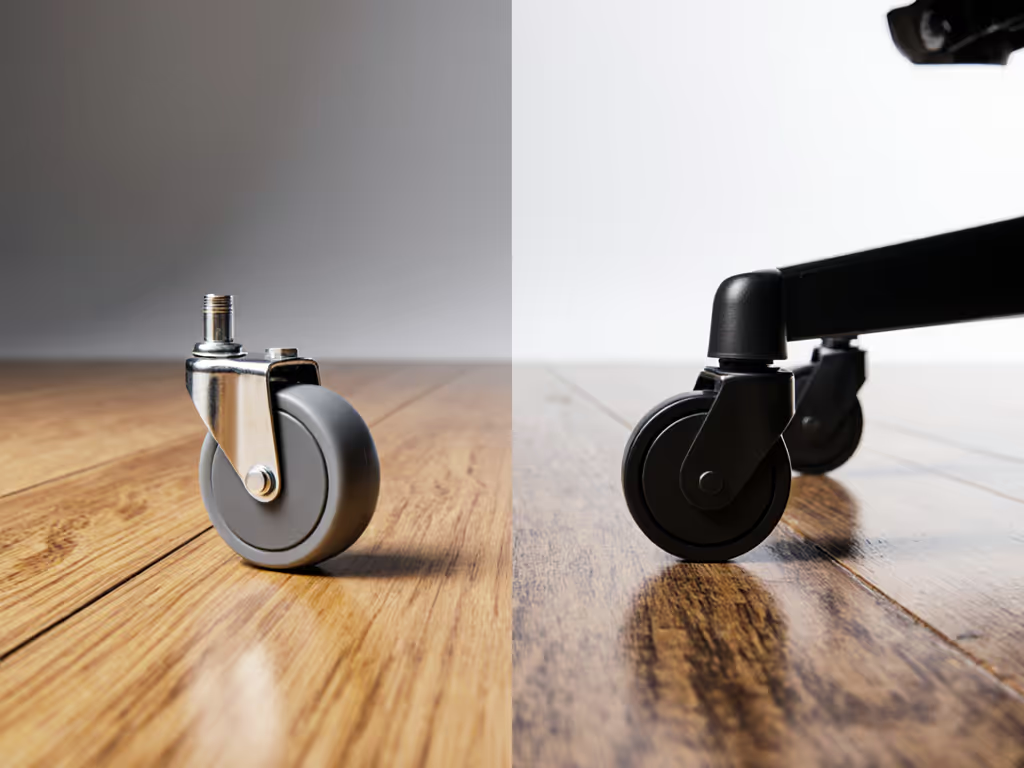
Most stock casters ship with hard plastic or nylon wheels optimized for carpets. On hardwood? They become tiny chisels. Here's the physics:
- Hard plastic (≥90 Shore A hardness): Creates high pressure points (exceeding 55 PSI on a 200lb user), scoring soft maple or walnut finishes.
- Nylon wheels: Roll too freely on slick surfaces, accelerating momentum until you collide with walls or desks.
- Thin treads (≤15mm): Concentrate weight unevenly, increasing floor stress by 40% versus wider profiles.
Check clearance arcs during recline (this isn't just about static footprint). When you lean back, your chair's effective radius expands by 8-12 inches. That reader whose door clipped their chair base every morning? Standard 75mm casters created a 30 cm wider swing arc than their cramped bedroom allowed.
The Floor Damage Escalation Timeline
| Timeframe | Damage Progression | Trigger |
|---|---|---|
| 0-7 days | Micro-scratches invisible to naked eye | Hard plastic on finish |
| 2-4 weeks | Visible swirls in high-traffic zones | Momentum + hard surface |
| 3+ months | Permanent gouges in softwoods (pine, cherry) | Debris trapped in wheel grooves |
Hardwood floors show wear faster than laminate or tile, especially with PU-leather chairs that encourage sliding (increasing drag force by 25%). Your solution isn't a floor mat; it's wheels engineered for hardwood's unique resilience. If aim stability matters, our chair stability physics explains how base and caster choices affect micro-movements.
How to Measure Your Chair & Floor for Perfect Caster Compatibility
Forget "universal fit" claims. True compatibility hinges on three measurements:
1. Caster Stem Diameter (Non-Negotiable)
- 98% of chairs use 11mm stems (0.43").
- IKEA exceptions: 10mm stems (e.g., Markus, JÄRVFJÄLLET).
- Test: Insert a #2 pencil into the socket. If it slides in loosely, you need 11mm. If it's tight, measure with calipers.
2. Floor Hardness vs. Wheel Softness
| Floor Type | Recommended Wheel Hardness | Why |
|---|---|---|
| Brazilian Cherry (Janka 2,350) | 60–70 Shore A | Hard wood needs softer tread to absorb impact |
| Oak (Janka 1,290) | 55–65 Shore A | Standard for most hardwoods |
| Bamboo (Janka 1,380+) | 50–60 Shore A | Brittle flooring requires maximum cushion |
Pro tip: Press your thumb into the wheel. If it dents easily (≤2mm), it's suitable for hardwood. If it barely yields, it'll scratch.
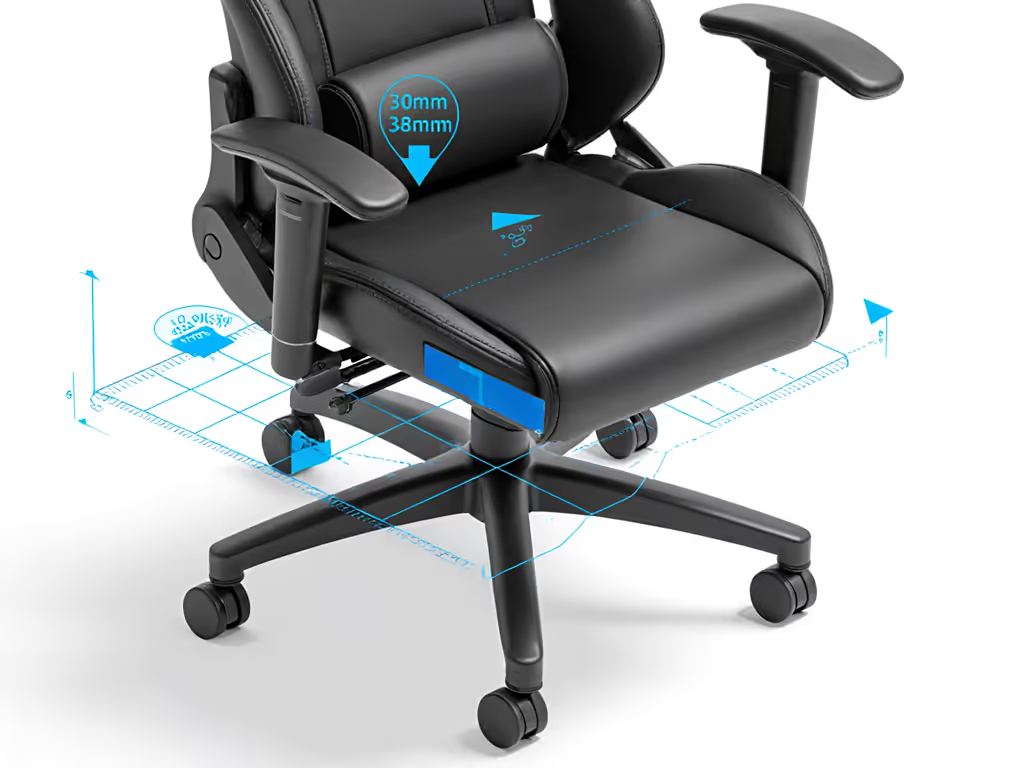
3. Clearance Arc Calculation
This is where most guides fail. Your chair's recline envelope must clear walls, doors, and gear:
Clearance Arc = (Chair Width / 2) + Caster Radius + Recline Overhang
Example: 28" chair × 1.5 recline ratio + 1.5" caster radius = 43.5" arc radius
My reader's fix: Swapped 75mm casters (2.95" radius) for 50mm glides (1.97" radius). Saved 3 cm at the door swing point, and cleared shin bruises from a yoke mount. Always state your desk height and peripheral layout before choosing wheels; a 28" desk alters weight distribution versus a 30" standing desk. Working in tight quarters? Start with our small space gaming chairs guide to match footprints to real room limits.
Hardwood Floor Casters: Hard vs. Soft vs. Rollerblade - Decoded
Hard Casters (Nylon/Plastic)
- Pros: Lasts 5+ years on concrete; ideal for industrial studios.
- Cons: Scratches quarter-sawn oak; requires floor mats (adds 0.5" height).
- Gamer fit: Only for thick-ply carpet over hardwood (≥1/2" pile).
Soft Casters (Rubber/Polyurethane)
- Pros: 65 Shore A polyurethane absorbs 92% of impact force; silent on vinyl.
- Cons: Wears down 30% faster on coarse concrete; struggles on high-pile carpet.
- Gamer fit: Standard for mid-range gaming chairs (e.g., Secretlab Soft Rollerblade Casters). They convert specs into clearance diagrams showing a 15% wider effective footprint on carpet.
Rollerblade-Style Casters
- Pros: Encased polyurethane rolls at 0.2 dB lower than soft casters; no mat needed on 3/4" hardwood.
- Cons: Premium price; harder to find in low-profile (≤50mm) sizes.
- Gamer fit: Streamers needing whisper-quiet movement (e.g., The Office Oasis' wheels use 58 Shore A compound proven in acoustic studios).
Key insight: Taller users (>6'2") need ≥75mm wheels for stability, but this increases swing radius. For petite users (<5'5"), 50mm glides reduce footprint by 22% (critical for 80cm desks).
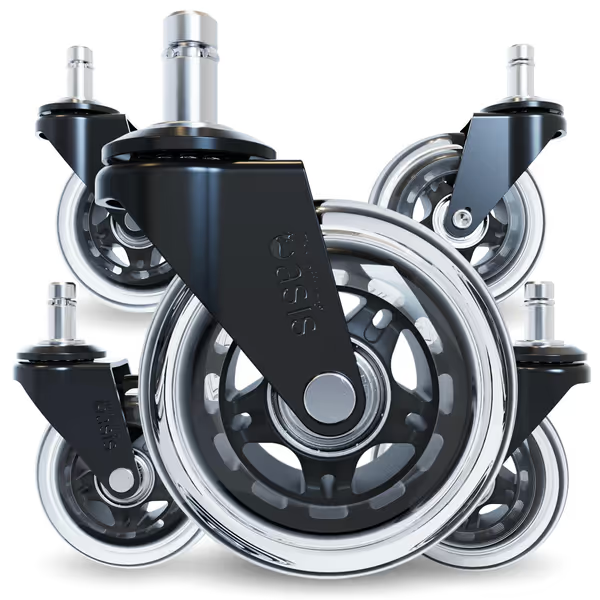
Office Oasis Rollerblade Chair Wheels
Silent, floor-safe, and ultra-smooth chair wheels for effortless glides.
$39.95
Weight CapacityUp to 650 lbs
Weight CapacityUp to 650 lbs
Pros
Protects all flooring types from scratches.
Effortless, smooth, and whisper-quiet rolling.
Cons
Not compatible with IKEA chairs.
Customers find these office chair wheels to be of excellent quality, working like a charm and being worth the money. They roll smoothly on both carpet and hardwood floors, with one customer noting they turn on a dime. The wheels are easy to install and replace, and customers appreciate their ultra-quiet operation.
Customers find these office chair wheels to be of excellent quality, working like a charm and being worth the money. They roll smoothly on both carpet and hardwood floors, with one customer noting they turn on a dime. The wheels are easy to install and replace, and customers appreciate their ultra-quiet operation.
The Caster Replacement Guide: Avoiding Costly Mistakes
Mistake 1: Trusting "Universal Fit" Marketing
75% of Reddit complaints cite stem diameter mismatches. Verify using the pencil test above. Heavy-duty chairs (e.g., DXRacer) often need 12mm stems (not 11mm).
Mistake 2: Ignoring Weight Distribution Shifts
When reclined, 70% of your weight shifts forward. If you're over 6'2" or higher weight, our big and tall fit guide helps pair chair geometry with safer caster sizing. Casters must support 1.5x static load:
- 250lb user → 375lb dynamic force per caster
- Standard 500lb-rated sets fail at 350lb sustained recline
Mistake 3: Overlooking Cable Hazards
Wheels wider than 38mm (1.5") can snag power strips. Measure your cable tray depth first; compact bases with 30mm wheels clear most under-desk setups.
Installation Checklist (5 Minutes Flat)
- Lift chair using desk height (never tilt!) to avoid yoke damage
- Pull old caster straight down, no wiggling (prevents socket deformation)
- Insert new stem fully before testing weight
- Check arcs: Sit, recline to 135°, and trace the chair's path with tape
Final Clearance Reality Check
Your gaming chair should enhance, not invade, your space. If you're assembling or swapping wheels now, use our chair setup guide for tools and time-saving tips. Great ergonomics must coexist with your room, desk, and devices. If standard office chair wheels force compromises (floor mats, bulky bases, or constant wall bumps), they've already failed the fit test.
Before buying any caster:
- Map your room's hard boundaries (doors, walls, desks)
- Calculate your recline envelope at 90°, 110°, and 135°
- Prioritize quiet operation and floor safety (never one over the other)
Check clearance arcs like your setup depends on it (because it does). For deeper space optimization, grab my free footprint template: it converts your desk height and body metrics into exact clearance zones. Because when your chair earns its space, you earn back focus, comfort, and a floor that lasts as long as your rig.
Related Articles
Ownership & Care: Maintenance, History & Longevity
Shared Space Gaming Chair Hygiene Guide
Learn a performance-first cleaning protocol for shared gaming chairs to protect posture, stabilize contact points, reduce fatigue, and extend chair life.